usually use Arduino IDE on PICO and ESP boards,
but Circuit Python and Micro Python is a valid option.
currently play with the
ESP32-C6
and just to be up to date want revisit
Micro Python
IDE
setup
tests
mini project Home-Page
IDE
Snakie
see
at twitter try new
Snakie
download
Snakie-0.23.1-arm64.AppImage 140MB
move to ~/.appimage
make executable
./Snakie-0.23.1-arm64.AppImage
bash: ./Snakie-0.23.1-arm64.AppImage: cannot execute binary file: Exec format error
( might be for apple?)
download
Snakie-0.23.1.AppImage 140MB
move to ~/.appimage
make executable
./Snakie-0.23.1.AppImage
[46571:0704/074226.530024:FATAL:setuid_sandbox_host.cc(158)] The SUID sandbox helper binary was found, but is not configured correctly. Rather than run without sandboxing I'm aborting now. You need to make sure that /tmp/.mount_SnakiepEamvA/chrome-sandbox is owned by root and has mode 4755.
Trace/breakpoint trap (core dumped) ./Snakie-0.23.1.AppImage
my bad, i was so confused, but got premium support from @kevsmac
download
snakie_0.23.1_amd64.deb 94MB
open with App Center / INSTALL
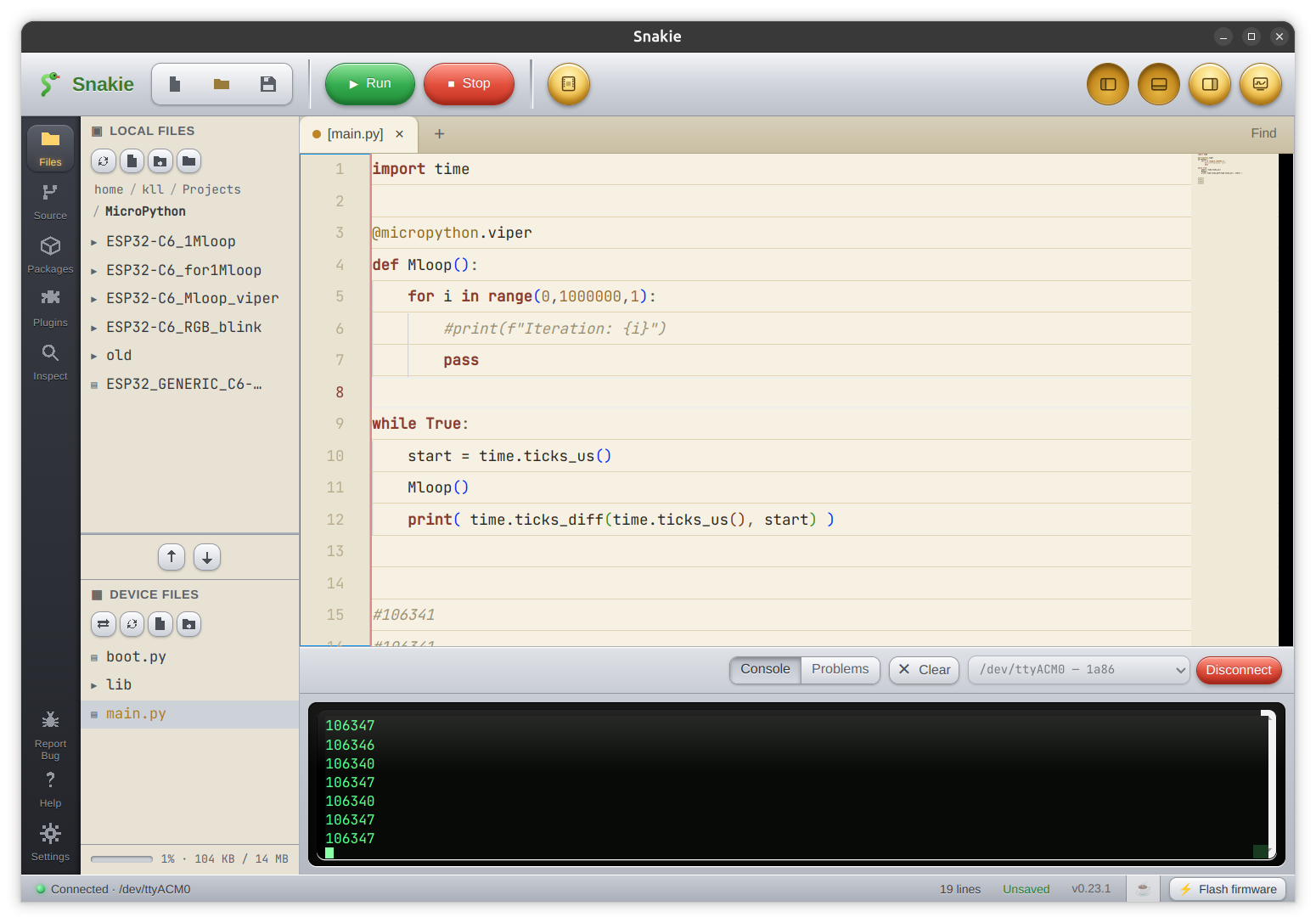
now see the new
snakie site is up
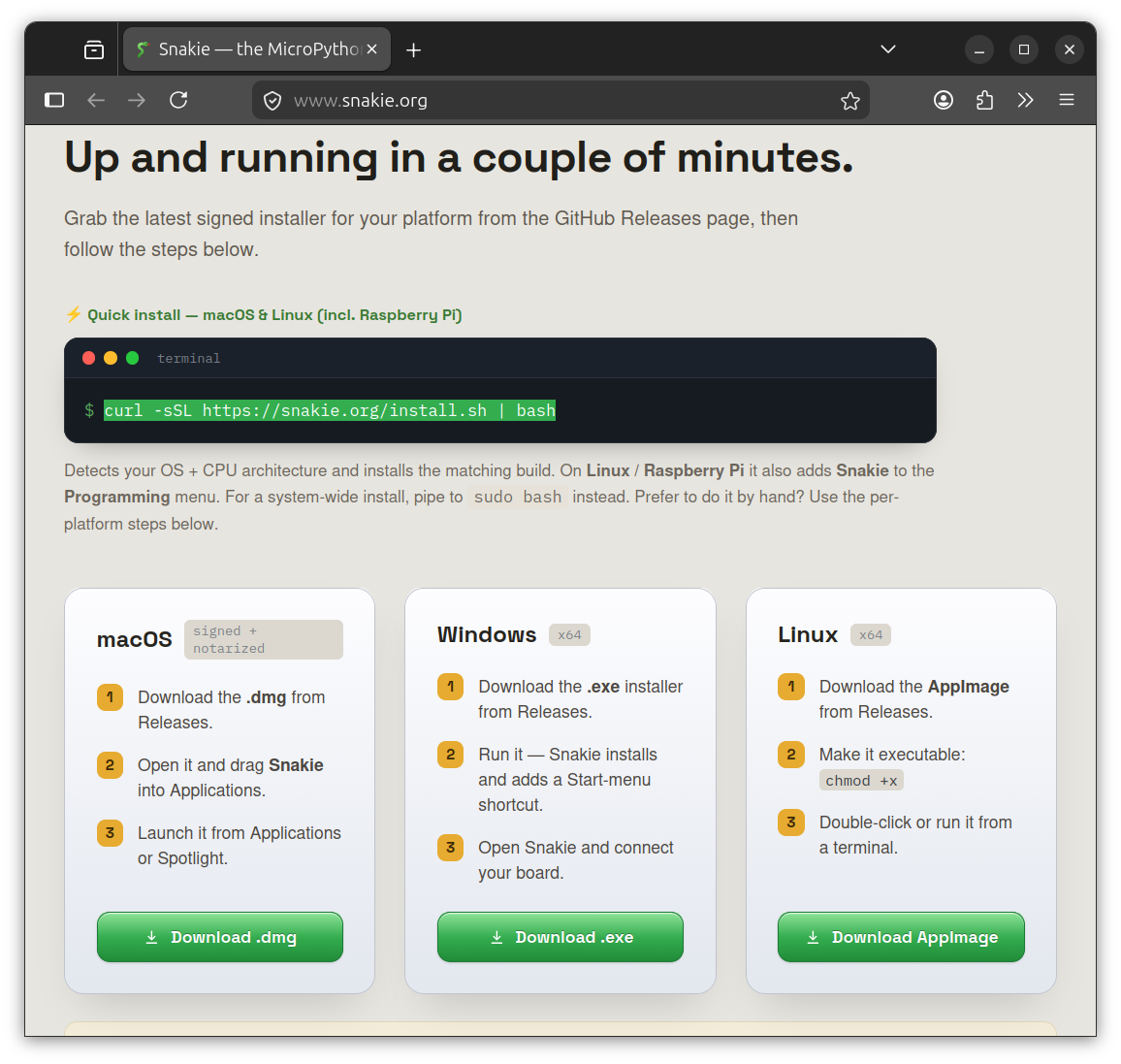
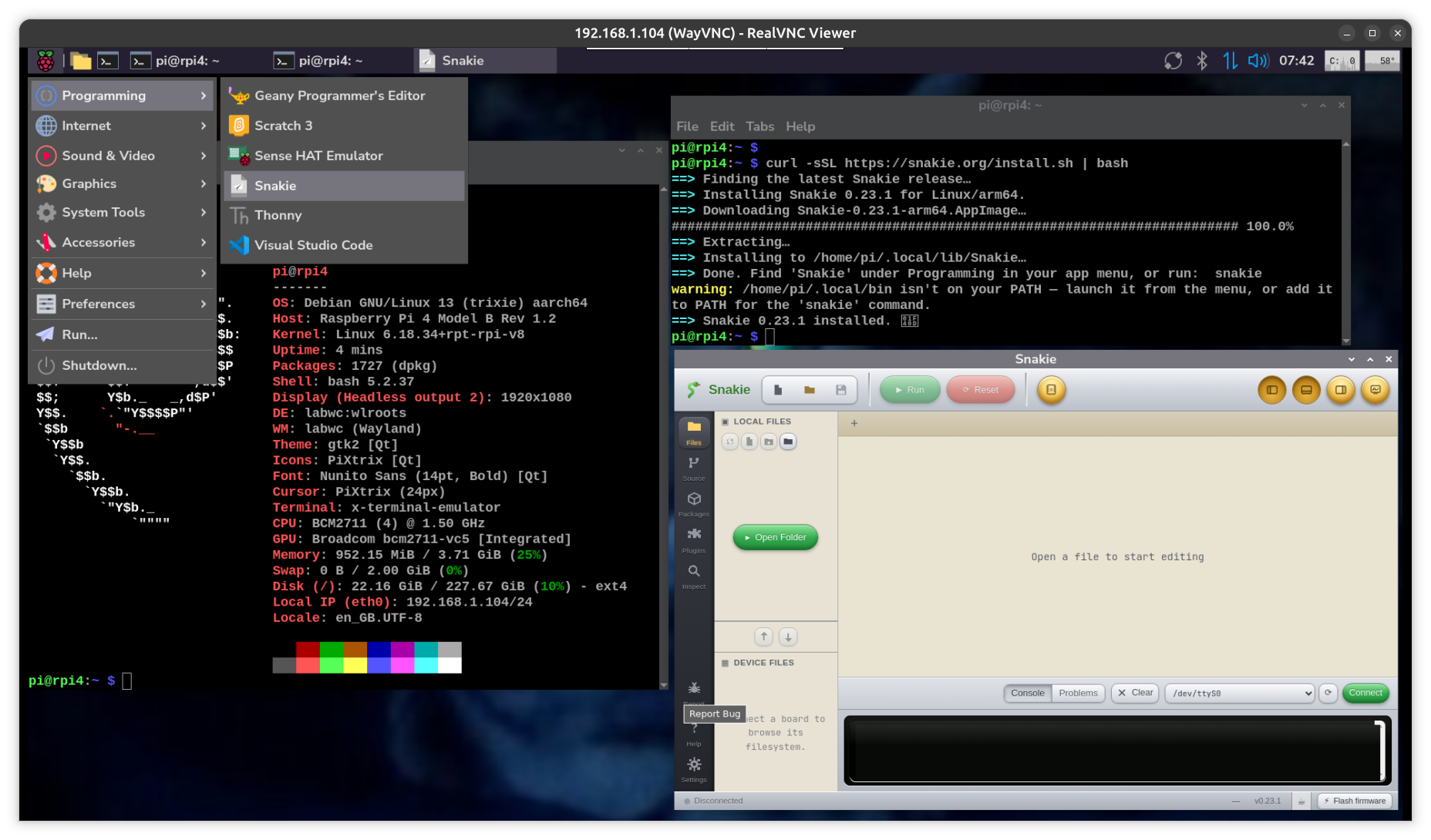
also test install on RPI4 ( 64bit ) with
curl -sSL https://snakie.org/install.sh | bash
find installed under 'Programming' menu tab
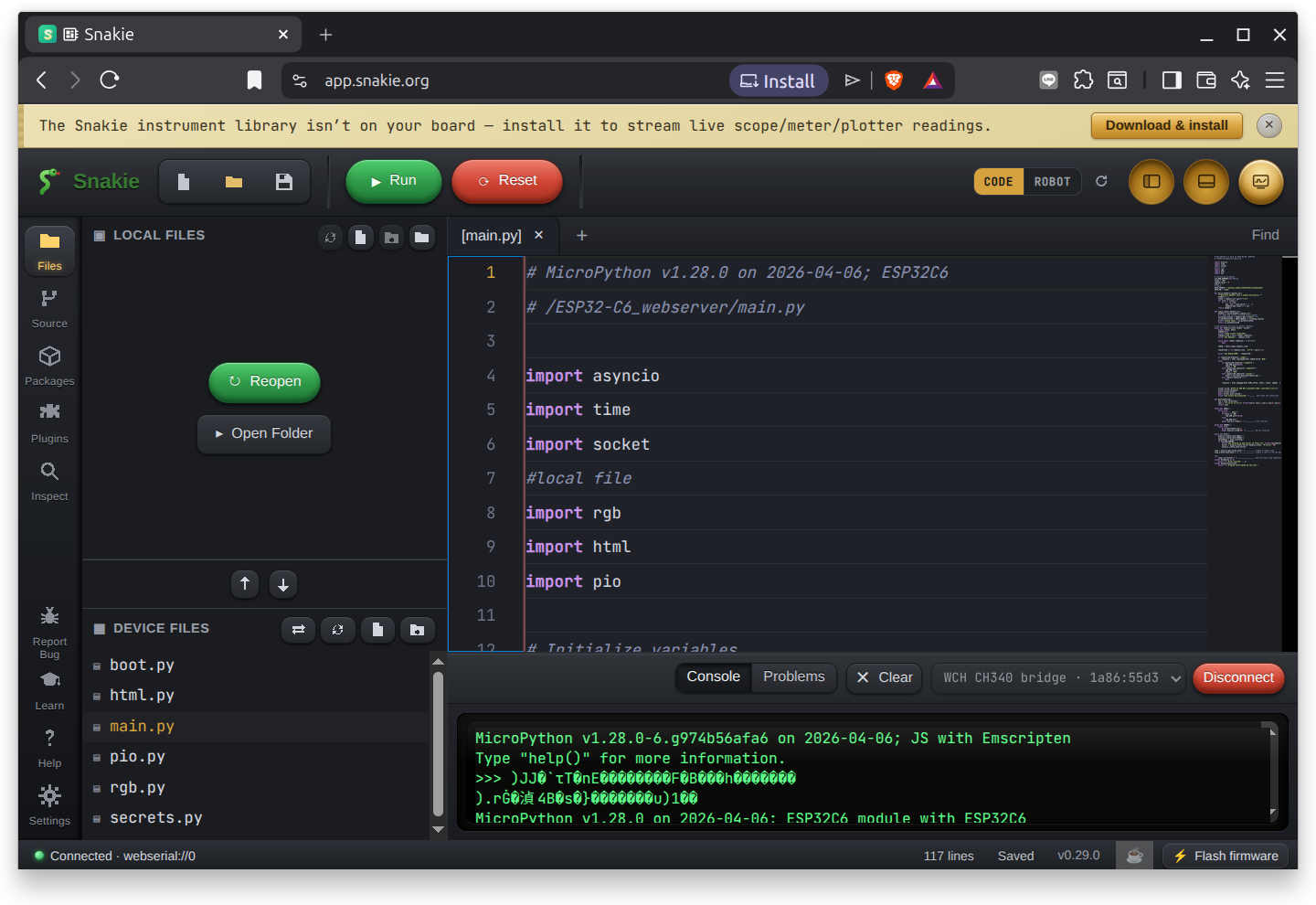
now there is a web-version / app / in work,
means you just run it in a ?chrome? like browser, no local install needed
app.snakie.org
allow to talk to serial,
disconnect from simulation,
connect to your board serial port
and start coding
i used BRAVE browser on a Linux Ubuntu 26.04 PC
try
THONNY
wget -qO- https://thonny.org/installer-for-linux | bash
start from [show Apps] menu
setup
micropython for ESP32-C6
get
ESP32_GENERIC_C6-20260406-v1.28.0.bin
but when we use Thonny not need to do that.
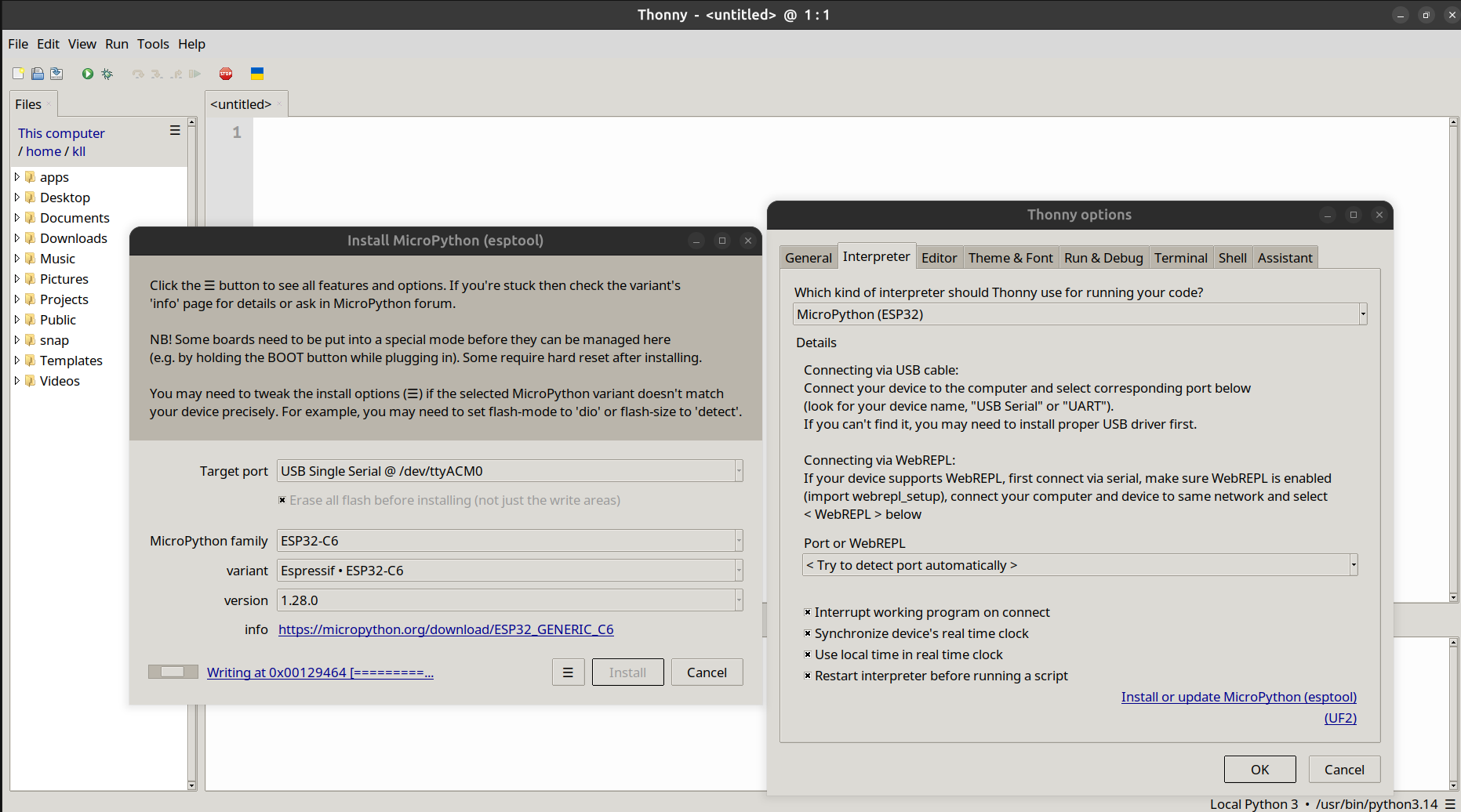
To flash MicroPython using the Thonny IDE, you can use its built-in firmware installer.
Follow these steps based on the type of microcontroller you are using.
📌 For ESP32 or ESP8266 Boards
Connect your board to your computer via a data-capable USB cable.
Launch the Thonny IDE.
Open the menu: Go to Tools > Options > Interpreter tab.Choose your chip: In the dropdown menu, select MicroPython (ESP32) or MicroPython (ESP8266).
Open the installer: Click the Install or update MicroPython link at the bottom right of that window.
Configure settings:Target port: Select the COM port your board is using.
MicroPython family: Match your specific hardware variant (e.g., standard ESP32, ESP32-S3, or ESP32-C3).
Variant & Version: Keep these on the default suggested or latest stable version.
Flash the board: Click Install.
Note: If the installation doesn't start instantly, press and hold the physical BOOT or FLASH button on your ESP board for a few seconds.
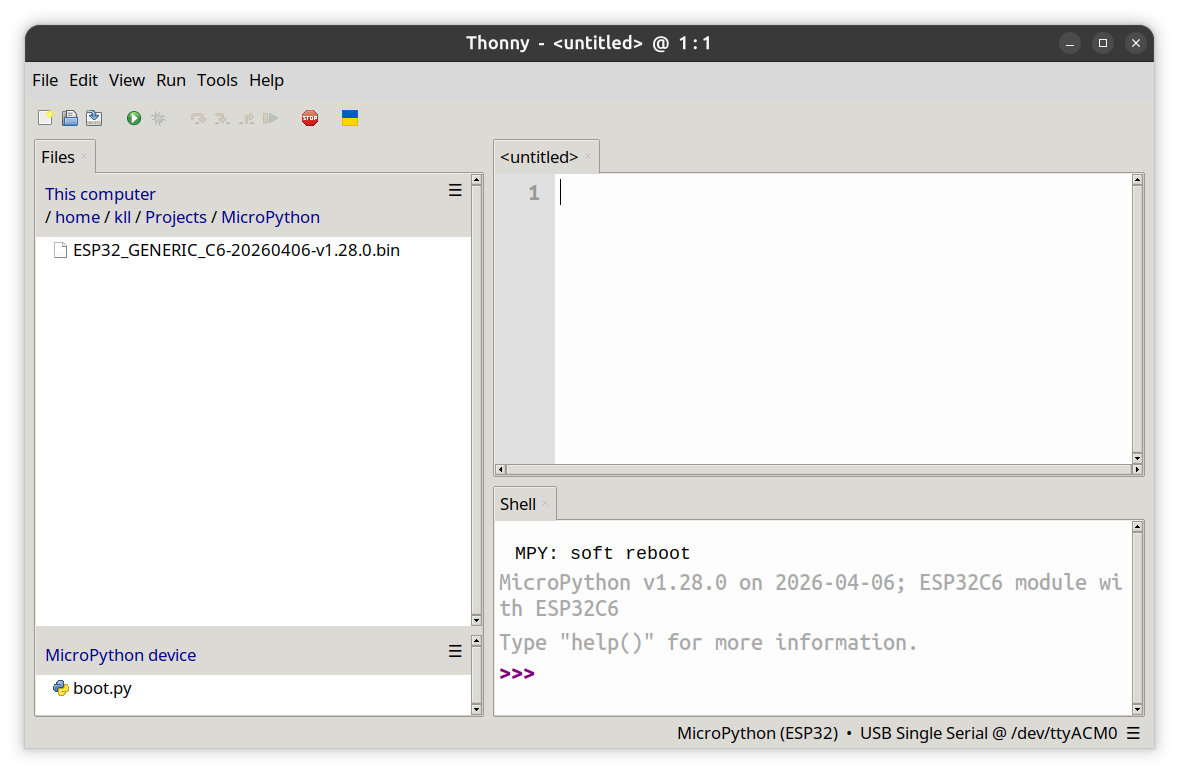
tests
and try some RGB Blink code
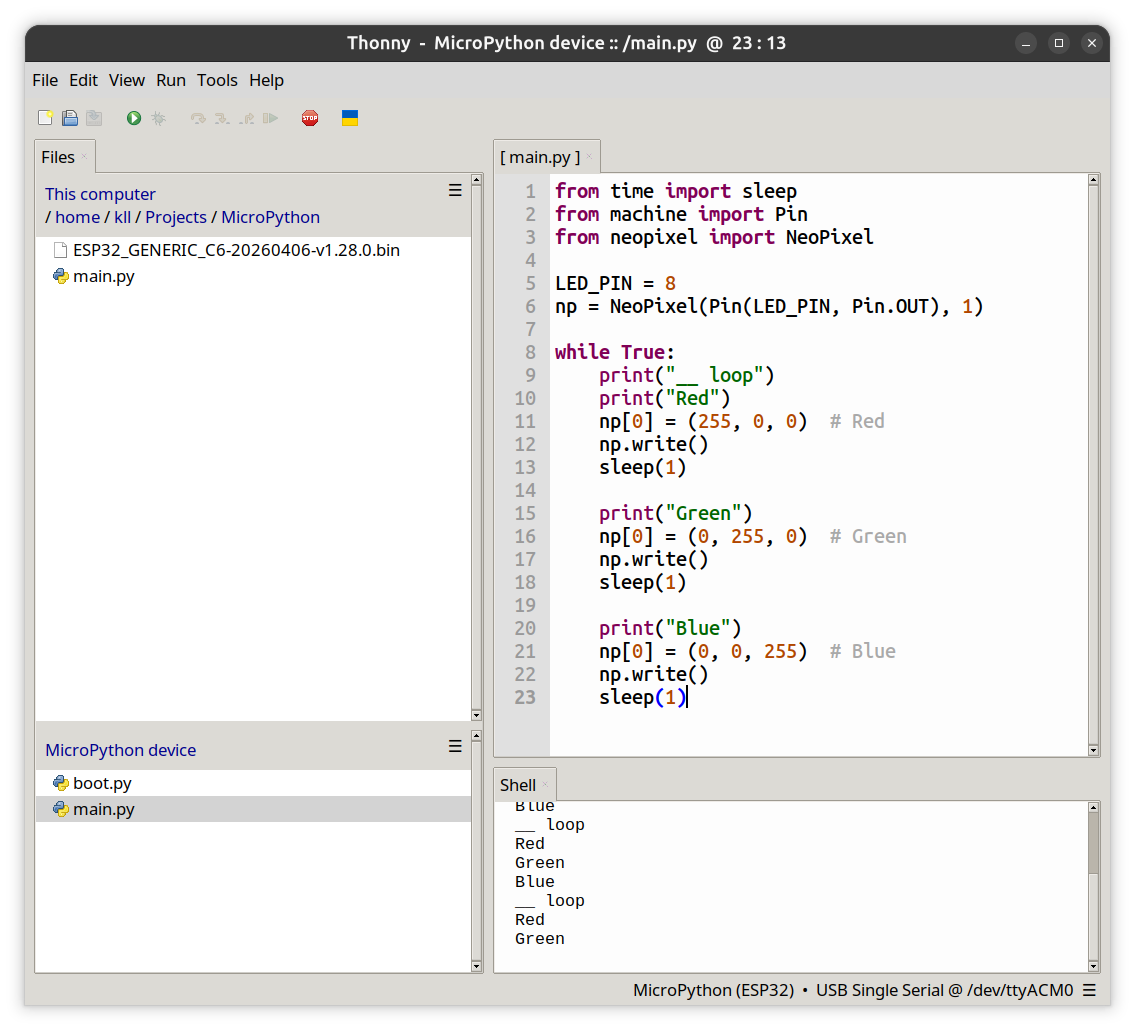
while already with Arduino IDE and ESP32-C6 see bad 1Mloop timing
now here under MicroPython a disaster
to count to 1.000.000 need 6 .. 7 sec
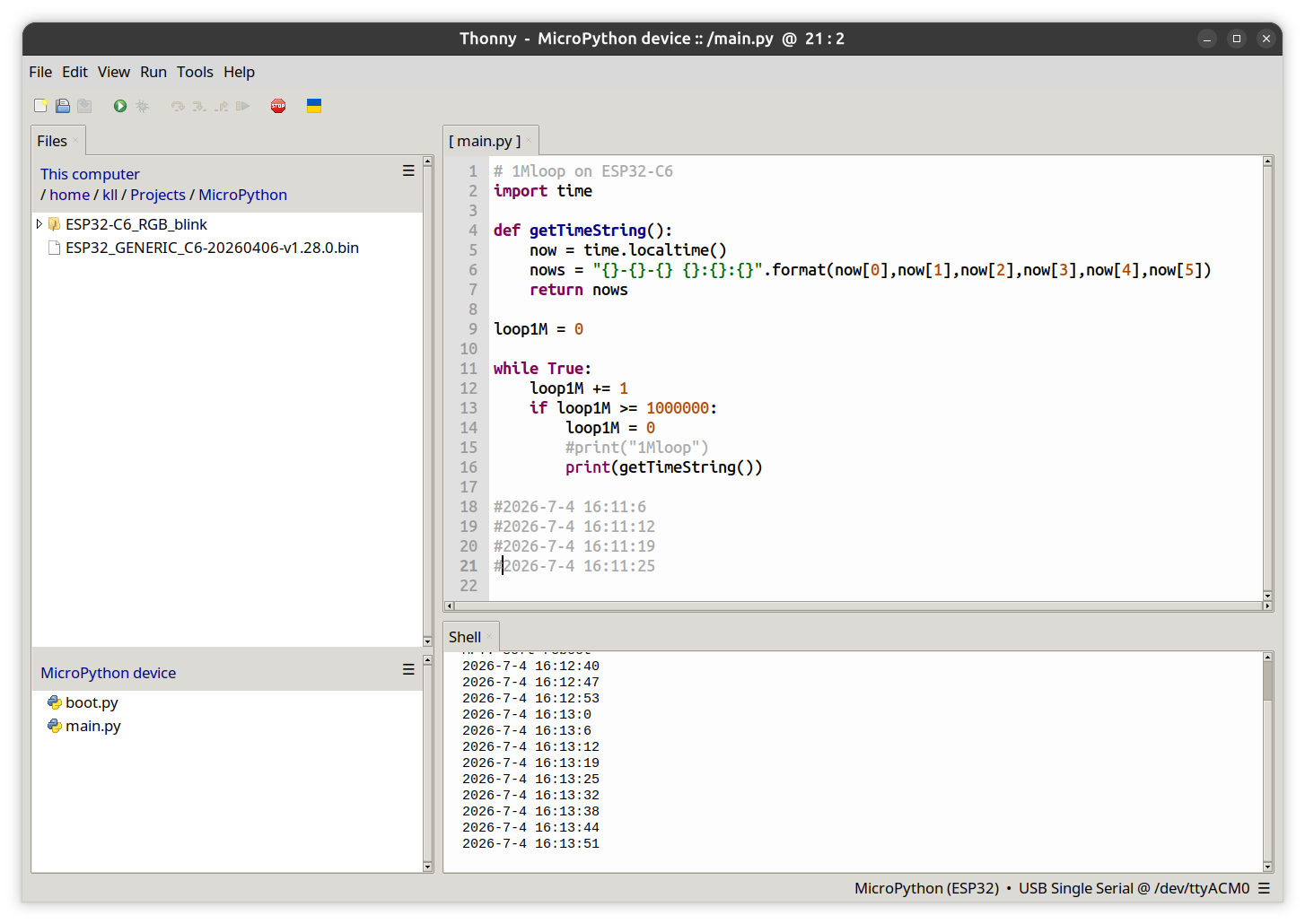
now doing same with Arduino IDE already show that that board is 10 times slower as a ESP32-S3
but here under MicroPython it is not only the
while True:
loop1M += 1
if ...
ADD and IF what takes time, it is the MicroPython interpreter system-work between each loop what adds up
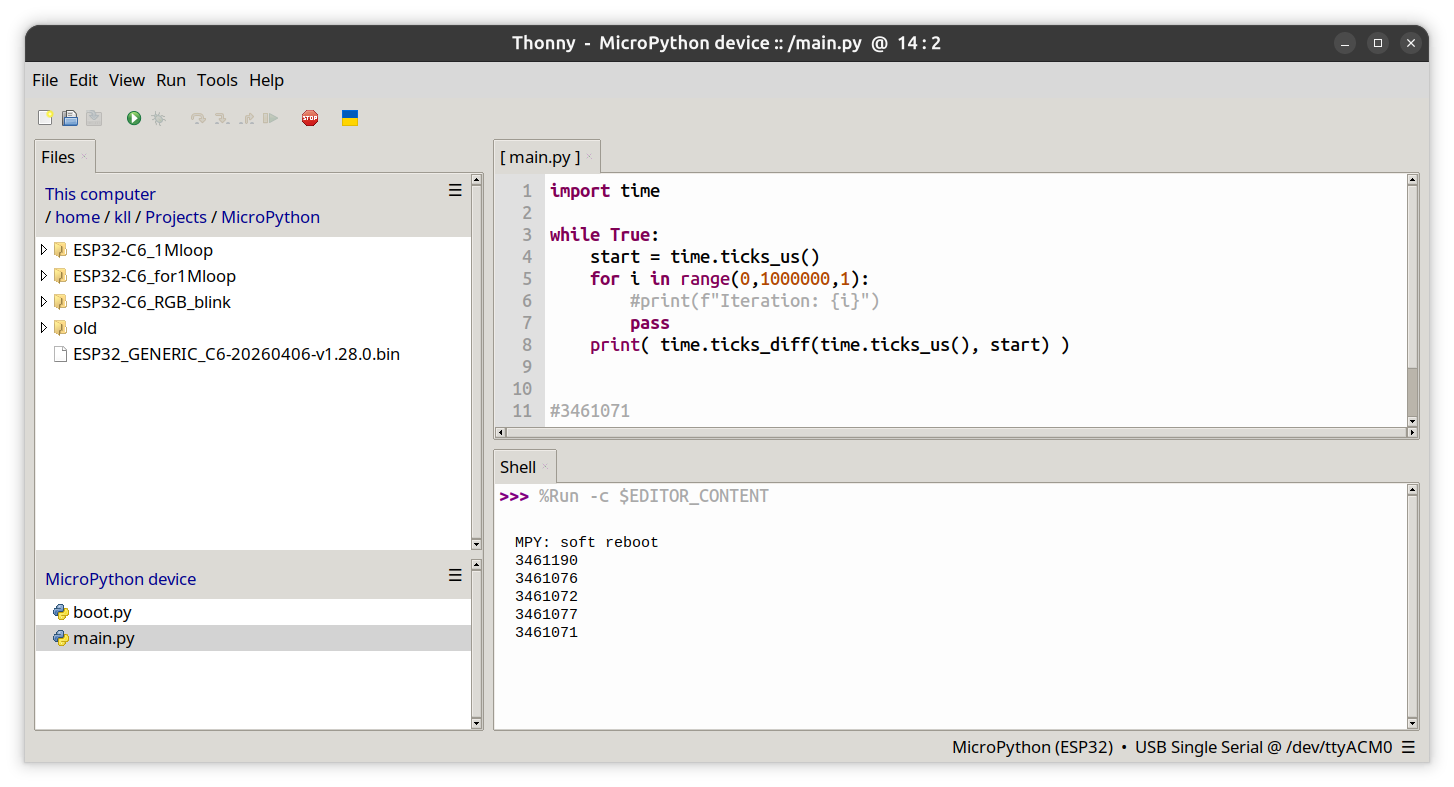
what happens when we do the 1 .. 1.000.000 inside one loop ( as in a FOR ) and measure start end with microseconds tick function
i see 3.4 sec
now there is the idea of using inline asm code,
+ + ok, that comes from some discussion about
"my" benchmark loop counting idea ( to compare board and systems ( Arduino / MicroPython / CircuitPython )
what was misunderstood as a unfair critique of MicroPython
and Matt Trentini answered with that idea: a absurdly fast
inline asm counting loop
recently Kevin McAleer ( the creator of above 'snakie' IDE )
brought that inline asm idea up again.
but as i read that "inline asm" is for
arm only, it not work on ESP32-C6
but there is a pre-compile feature
viper
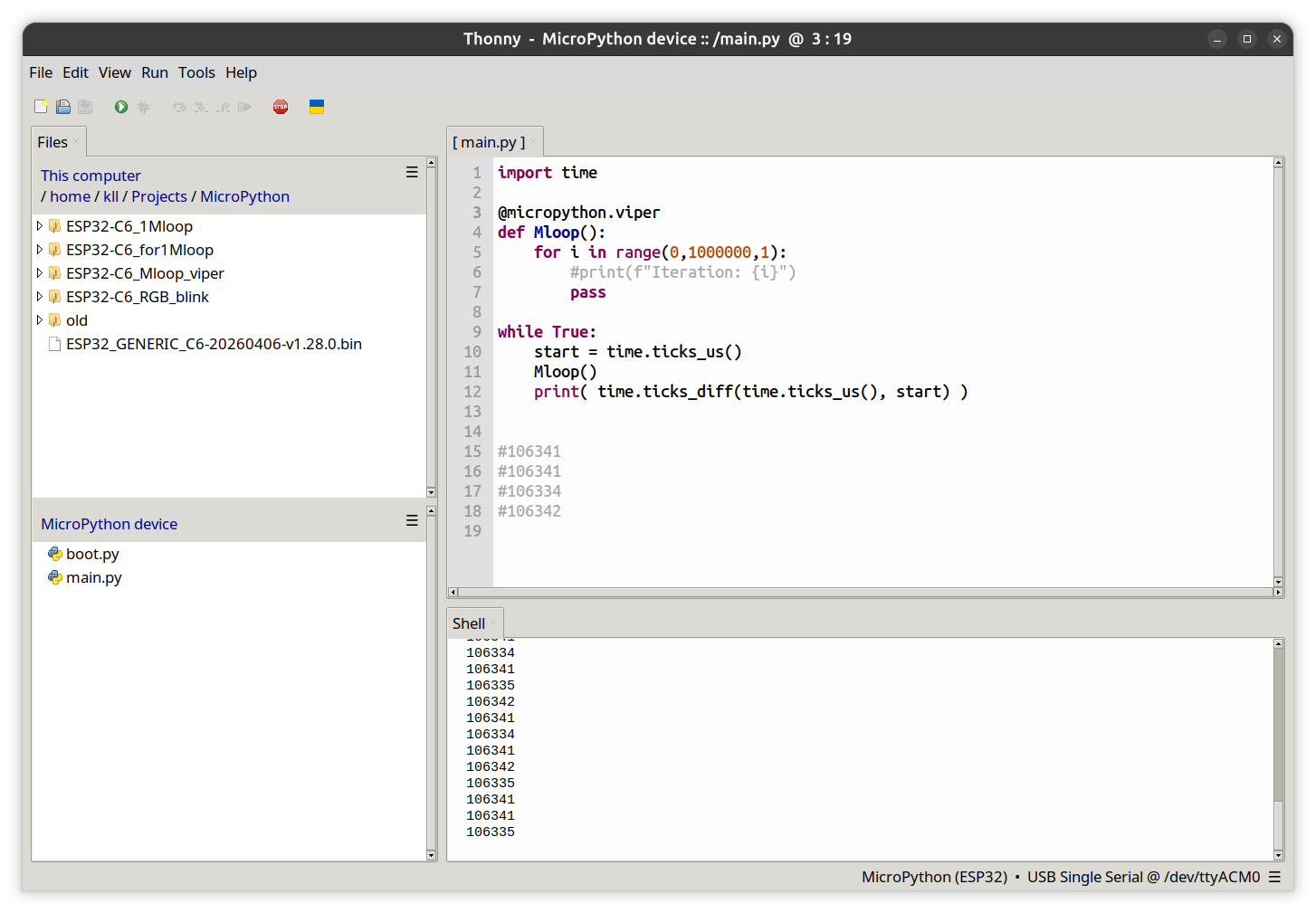
so without it ( but using a def function only instead of the above code ) already get down to 2.5 sec
now
with the viper it is impressive 0.1 sec
try a SSL webserver example
here
and esp as i only try on PICO, now test on ESP32-C6
asyncio
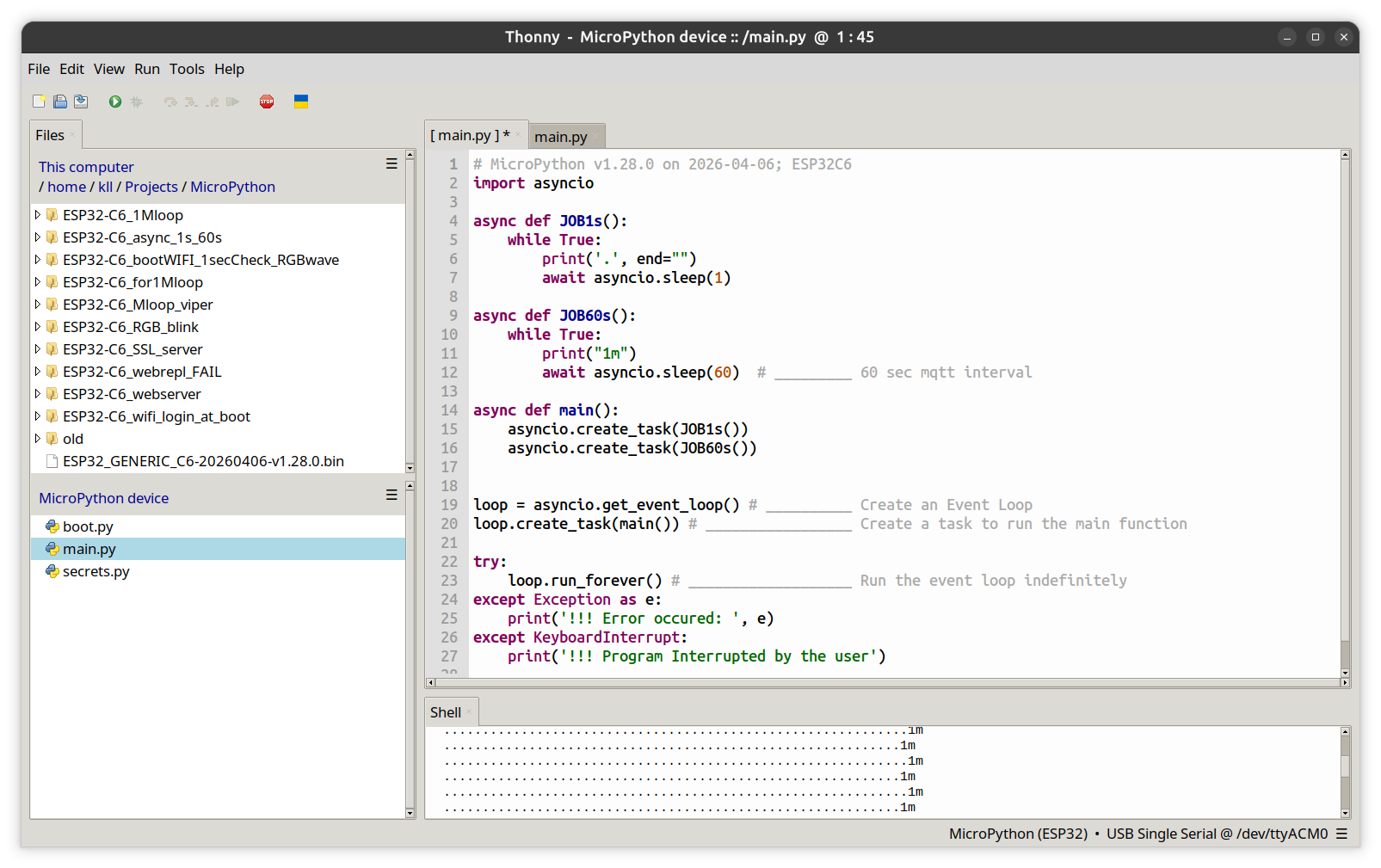
now as you can see, there is a long and a short line alternating? skips a second?
but i like the structure of the code
very
PLC thinking ( but NOT the PLC coding style )
+ a 1sec tick ( like for the BLINK ... )
+ a 1 min tick ( like for MQTT later )
mini project Home-Page
* use a wifi login in
boot.py
incl a fix IP there, but with wifi credentials in
settings.py
* make a
rgb.py
+ + a RGB sin wave ( soft )
but trigger change 0.1 of 2PI only every second / by async seconds tick / not that smooth
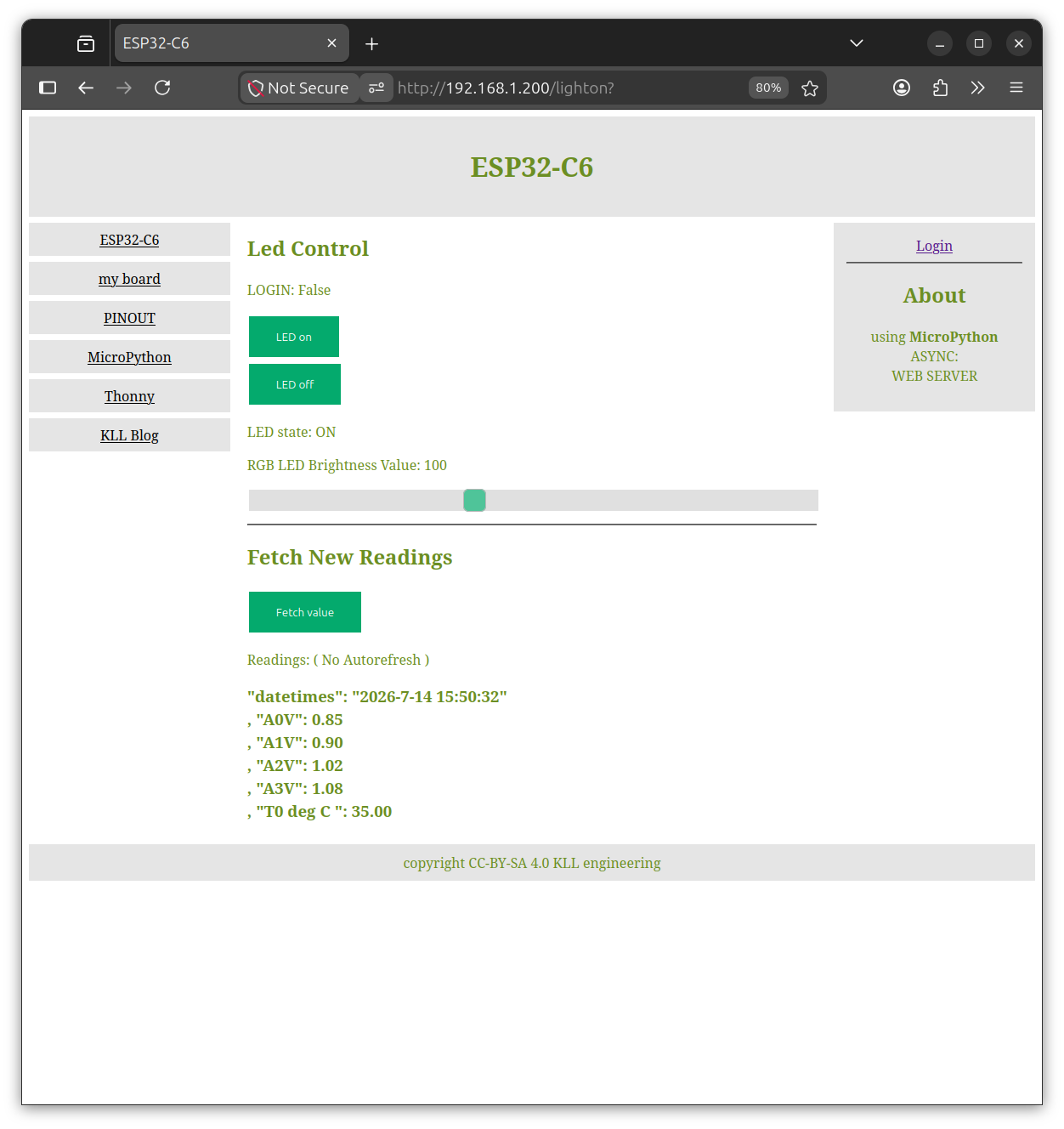
+ + make a web-server ( home page )
see
html.py
i have for (Micro/Circuit)-Python and Arduino IDE,
the 'login for operate' thing only in the Arduino version, see later
here esp try the
async web-server
ntptime lib allow a network time update ( i do in a new 1h async cycle-task )
add a RGB LED operation ( html.py )
+ ON
+ OFF
+ brightness slider
the ESP32-C6 comes with 16MB flash,
so media content for HTML web-site is limited, better link ( like pictures .. ) from cloud servers.
and a
pio.py
to read 4 Ain [GPIO 0 ..3 ] and cpu temp
trigger by html [Fetch value] button
still fighting with the
OPERATION LOGIN
