RPI4 - CASA OS - Docker
Posted by kll on November 13 2026 20:37:17
test some new things
for my RPI4 i have 2 setups,
both on SSD in ORICO USB3 boxes
(1) old system with MQTT and Node-red ( for older ESP and PICO work ) ( ORICO RED GRILL )
(2) a newer setup with CASA OS ( and protainer ) BLOG
( ORICO BLACK GRILL and a WD Blue SN570 250GB )
( well that setup already 9 month old now and not much used )
Extended Blog
working headless via VNC
so here first start with
+ + UPDATE RPI4
+ + check via browser:
http://192.168.1.104/#/ CASA OS
https://192.168.1.104:9000 Portainer
i do have a nginx directory on it with all the webpages from the HTML tutorial,
but no server..
i could install nginx via docker manually as i did in that tutorial, but how about
CASA OS?
while there was a nginx in the app store long ago ( possibly removed about 80:80 port conflict with CASA OS )
now only find
Nginx Proxy Manager
and i have no idea what that is ( even i watch a youtube video about 5 docker ways to install it. )
but that is the docker beauty, install should be painless and also easy to remove...
wait / warnung that i have to change CASA OS ports before install it...GRR
so old way more easy, just a one-liner in terminal:
sudo docker run -it --restart unless-stopped -d -p 8080:80 --name web -v ~/Projects/nginx:/usr/share/nginx/html nginx
and call it from other network browser via:
http://192.168.1.104:8080/ Nginx
good,
but now better put that link also inside CASA OS Dashboard so i not forget that it is installed
add i put that kind of info also in the terminal startup via /home/pi/.bash_aliases
there is a activity like CASA OS see that new installed nginx and want to do a 'rebuild' what fails when i try and i deleted it
just a link is ok
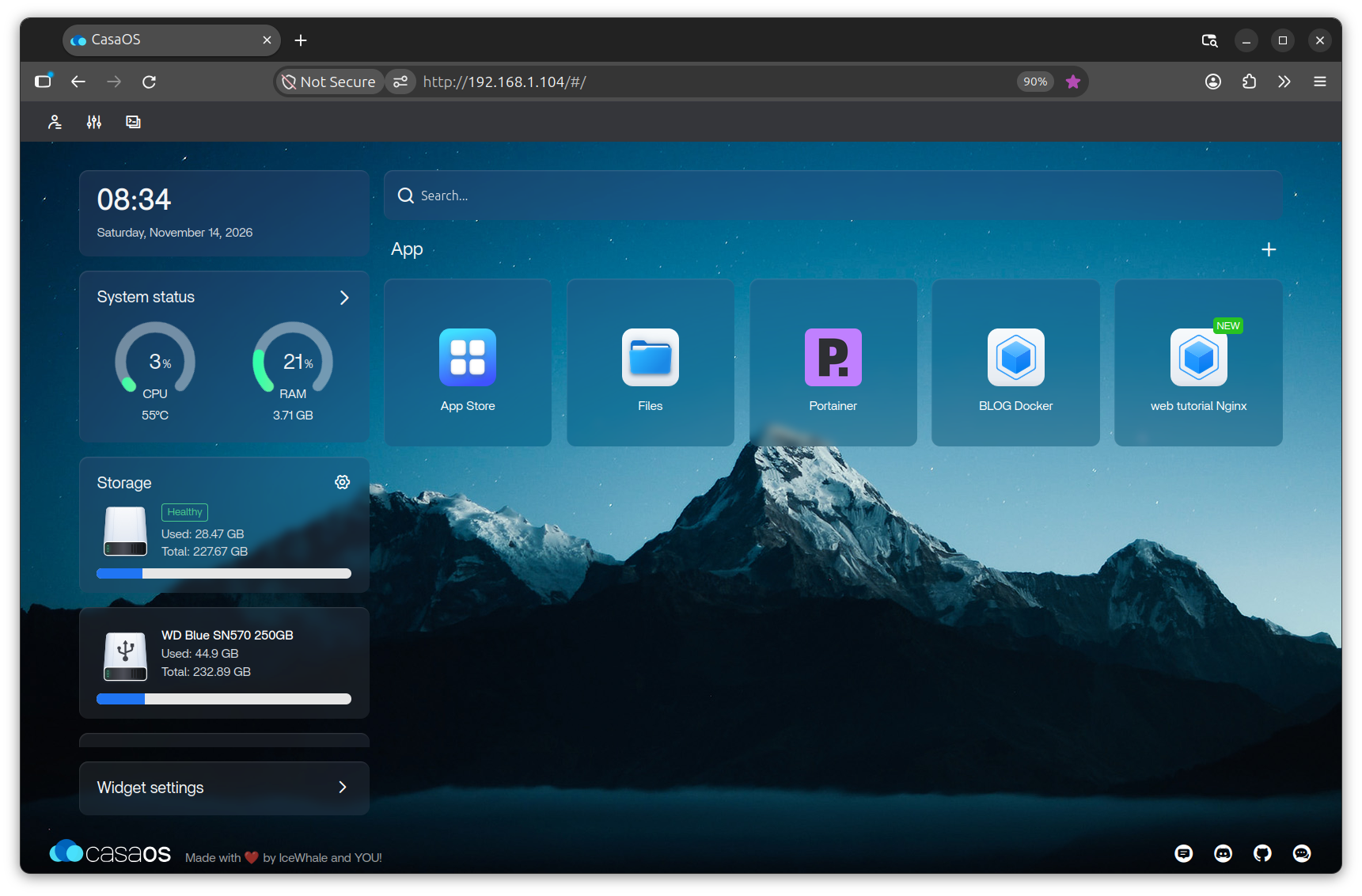
the beauty of CASA OS is that
[Files] reaches not only the /DATA/ but also
/root/home/pi/Projects/nginx/
and i can edit that index.html file right there online
( nextcloud ... would not allow you to go that close to the OS )
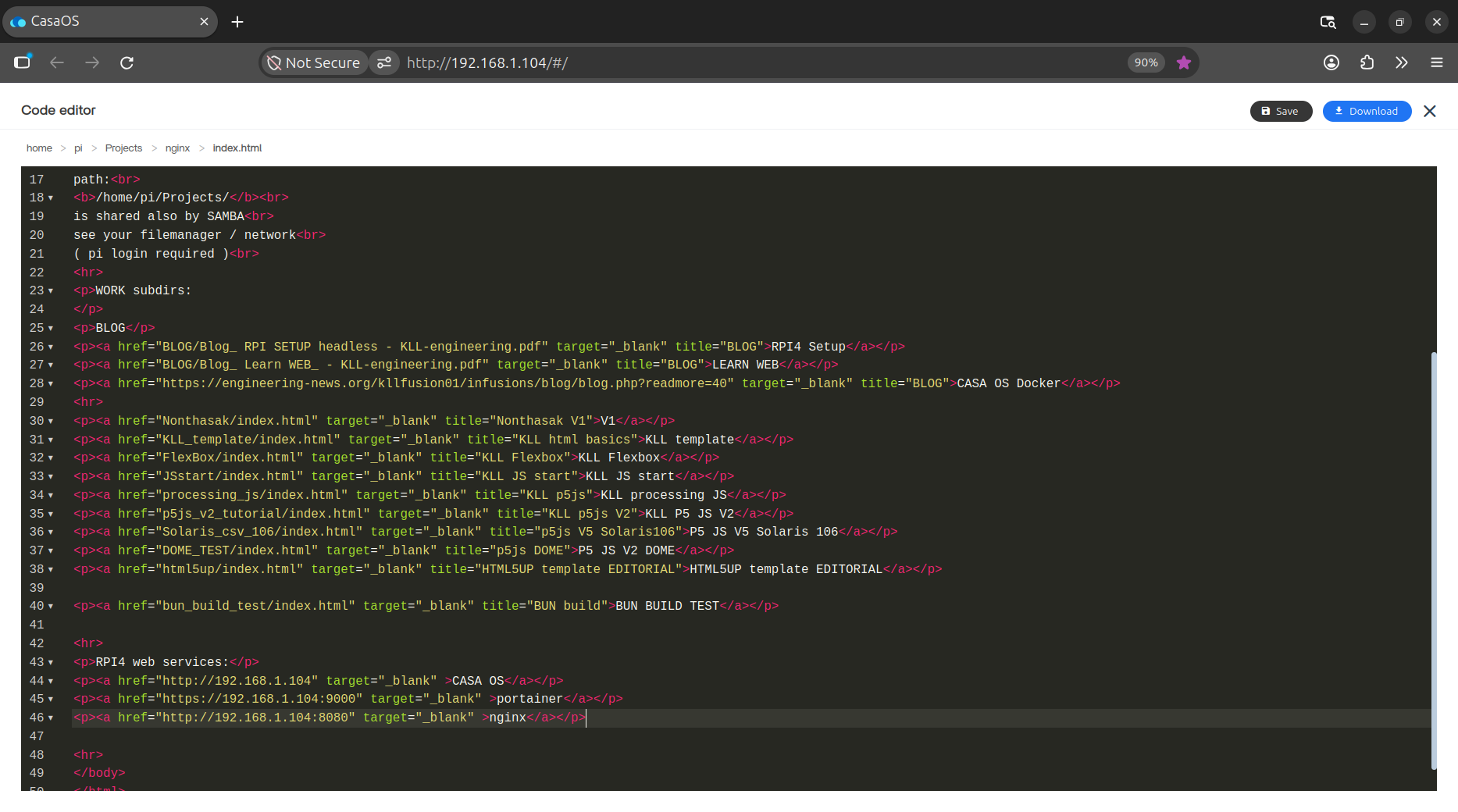
while last step was kind of house-keeping,
now want try something new from the CASA OS App Store, i see
+ + Home Assistant
+ + ESPHome that is the thing what failed on the RPI3 ( with a old 32GB uSD ) see my last BLOG
RPI4 ( with 240GB SSD ) has space and speed? why not try that ( now as separate docker versions ) again?
Home Assistant
click in App Store Home Assistant and see the tile after 2 min
( but not work / reboot recommended )
in CASA OS click HOME ASSISTANT:
initial setup:
user name / user / password / password
location town ( see no map ?app key required )
http://192.168.1.104:8123/ Home Assistant
well, that was unbelievable fast, compared to the RPI3 setup
now what works out of the box is a TODO list
( but the shopping list is a stupid to start with as Home Assistant is local LAN only, so in a shop location not see it )
also Media Radio player works ( can not remember selections / no background play option )
+ select GERMAN FLAG
first tile: Blasmusikradio mit Bernd
i want vomit on my fathers grave
ESP Home
install in CASA OS
see the tile in a few seconds???
on click asks for new device:
name: esp32c6
give wifi SSID and password
can select ESP32 ESP32C3 ESP32S3 but not ESP32C6 so? this is old version?
anyhow it creates only a yaml file with a
# Enable Home Assistant API
api:
 encryption:
 key: XXXXX
to connect it later ( after flashing ) to Home Assistant
so ? how to get a updated version what knows ESP32 C6
? or not a version problem ? select instead Arduino framework
the ESP IDF ( what knows ESP32-C6 ?)
later manual integration see Youtube