
RPI with JESSIE
99 RPI with JESSIE
now, i play with JESSIE already when i try about the newer arduino IDEs here
but now i see at forum a ready image here and i want also use the winflash for test.
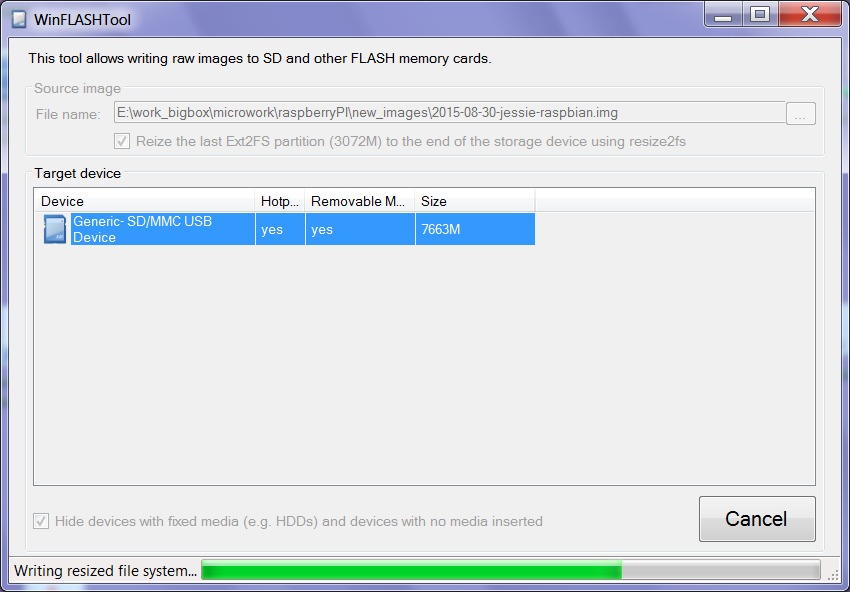
+ + SD resize option worked, i see full /dev/root/ 7.5GB
raspi-config / name / timezone /ok
try resize again and see error no /dev/root/ ??
update / upgrade / newuser / fixIP / default install /
+ + xrdp works,
- - but vnc show a empty window ( where a context menu can be used )
possibly this helps.
and vnc autostart also not work ( ok, need to start vncserver == vnc4server and not tightvncserver in /etc/init.d/vncserver )
- - the epiphany browser start double and shut down.
i install more, like iceweasel, libre office, arduino ( Arduino 2:1.0.5+dfsg2-4)
what take over a hour.. ( and still that need IRE 6 and 7 ..)
- - the header menu editor (add remove panel items / Application Launch Bar ( double click ) / ADD installed Application /
does not work insofar as it not shows the new installed programs!
+ + besides that i like the full debian menu compared to the reduced RASPBIAN RPI.ORG menu.
update:
here now have the official JESSIE version
2015-09-24-raspbian-jessie.zip 1.33GB with
2015-09-24-raspbian-jessie.img 4.32GB
on a 8GB SD card with SD Formatter and win32diskimager ( writing with 10MB/s ) booting in a RPI1B
and just for easy first start edit cmdline.txt and add in first line ' ip=192.168.1.102' temporary, login user pi password raspberry.
make new user ( delete pi again not work, after several reboot and only open XRDP ok),
fix IP, install my defaults
xrdp and vnc works ( but show different window like from a other user?? ( i check both login as newuser! / after delete user pi desktop same and desktop back ground BACK TO DEFAULT! GRRR)
when i use a "old" ( one week ) Raspbian wheezy SD and i do a update upgrade i get
linux from 4.1.6 to 4.1.7 ( what is same like in the JESSIE image )
try a dist-upgarde too, but no change.
as i have a current project i am working on it, i will not burn the new image,
so how to UPGRADE from WHEEZY to JESSIE
sudo nano /etc/apt/sources.list change to
deb http://mirrordirector.raspbian.org/raspbian/ jessie main contrib non-free rpi
Change all lines that have "wheezy" to "jessie".
sudo apt-get update
sudo apt-get upgrade
1h on a tuned RPI2B restart question YES, all other questions also "Y"
sudo apt-get dist-upgrade
an other 100MB
disable ssh root YES ?? and more "Y"
at Configuration file '/etc/dphys-swapfile' i also say "Y" and all stuck for some time
after 1h40min (see 6.4GB of SD card used ) i reboot, looks ok.
i happen to look at the release notes:
* Based on Debian Jessie
* Upgraded applications - Epiphany browser, Scratch and Sonic Pi
* Included applications - LibreOffice, Claws Mail, Greenfoot, BlueJ
* Included utilities - Alacarte menu editor, Lxkeymap, scrot, tree, pip
* New GUI-based Raspberry Pi Configuration application
* GPIO control now possible without need for sudo
* Web link to Magpi magazine included
* New taskbar plugin to eject mounted USB drives
* Default boot is now to GUI not desktop
* Look and feel now based on GTK+3 default theme
* Print screen key launches scrot to produce screenshot
* Common keyboards autodetected by GUI and drivers loaded accordingly
* Numerous small tweaks and bugfixes
? Default boot is now to GUI not desktop
what does that mean? possibly that was my problem about deleting user pi
Alacarte menu editor i must play with that one.
update:
there is a new version:
2015-11-21-raspbian-jessie.zip 1.4GB unzip 2015-11-21-raspbian-jessie.img 3.9GB
use a 8GB uSD / SD formatter and Win32DiskImager.. PUTTY OK
update
upgrade
install mc and xrdp
fix ip: sudo nano /boot/cmdline.txt , add in first line " ip=192.168.1.101"
sudo raspi-config / enlarge filesystem, timezone, name, tuning
reboot