
processing 3 - -
96 processing 3 - -
last time i play processing was here, now
i see here on 11.8.2015
a processing 3.0 beta 3 was available.
first i download that as win32 version
intro picture still show V3alpha,
i read, better make a separate sketch directory for rev 3
here i see i could try it on RPI too.
i follow this:
-a- RPI2 /full updated
( i start with putty but should be on desktop (ant?) )
git clone https://github.com/gohai/vc4-buildbot.git
cd vc4-buildbot missing in manual
sudo ./BuildRaspbianVc4.py
10:26 start downloading 10:54 resolving deltas, 10:56 build
download jre/jdk 8u51 compile
at 15:00 it tries to download the linux source, 1.12GB? ( i hate that guys, no remark about what space you need or how many hours that will run on a RPI )
18:24 and RPI2 still compile some sh*t / and still 4GB of the 16GB free,
OK 20:18 finished that's 9h30, for what?
check the desktop, start processing 3
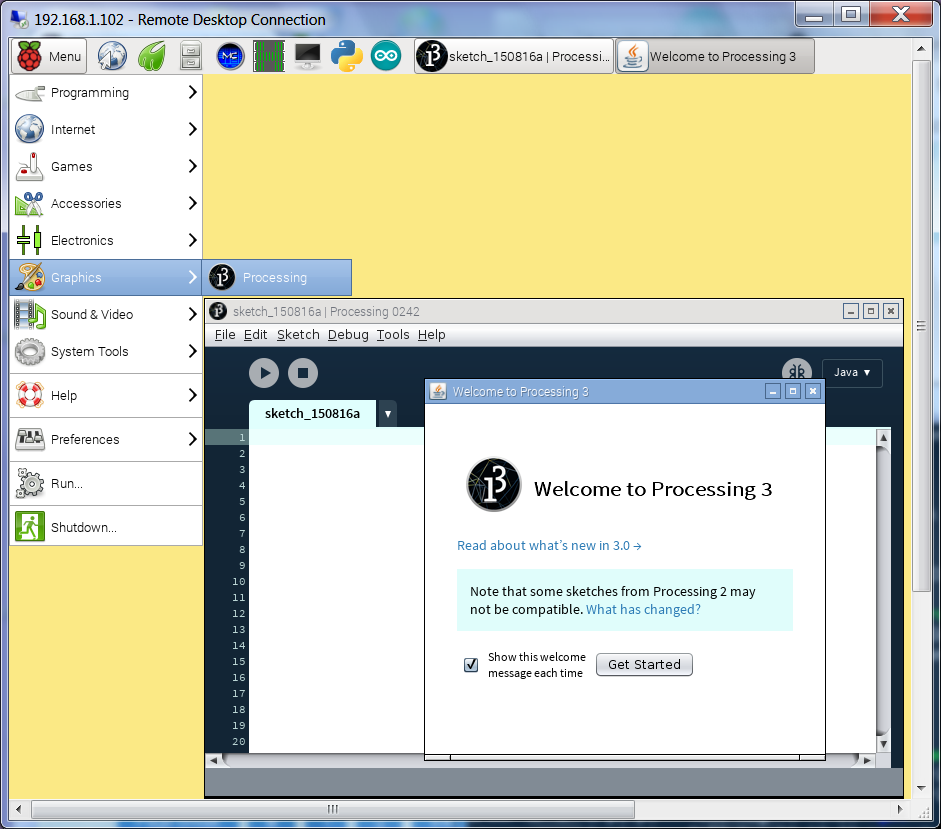
start example demos particles
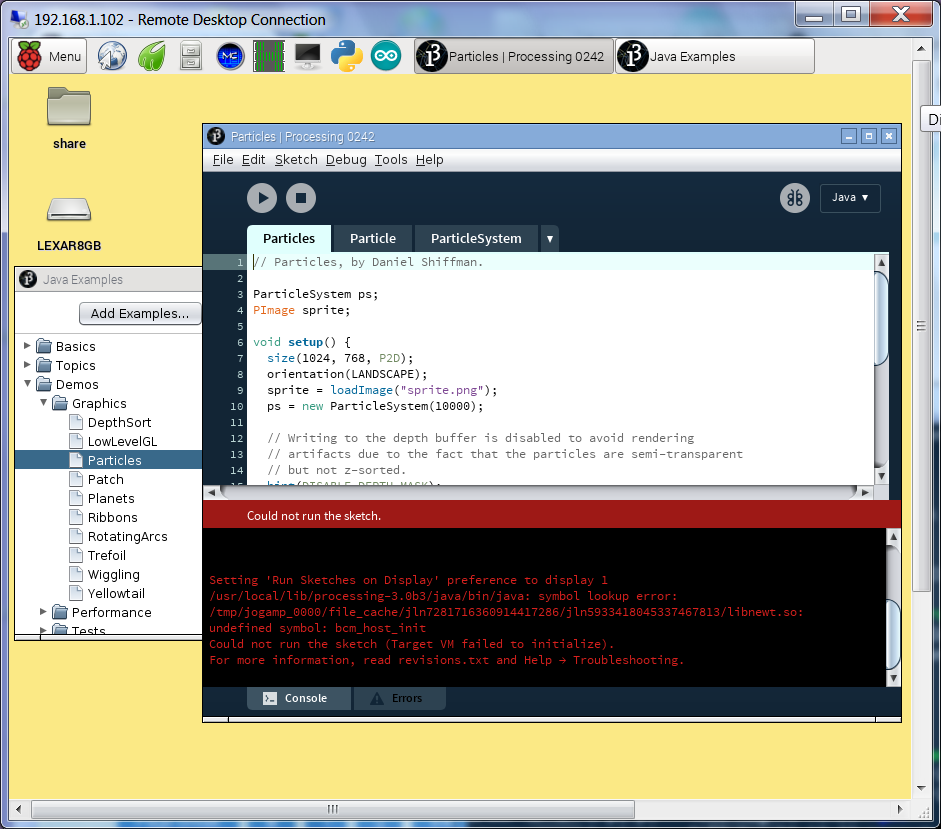
well, not completely lucky, this list say it should run but slow
test my beloved RGB cube ( i used that as a setpoint tool for RGB LED strip arduino PWM...)
it should run but only error!
now i try 20150815-1421-vc4-processing.tar.bz2 from here and i try
tar xf 20150815-1421-vc4-processing.tar.bz2
cd processing-3.0b3
./processing
also not many examples run.
well, not only that i am disappointed, also that that is the second SD card today i have to erase
and setup new.
-b- RPI1B /full updated
same procedure,
but as a noobs on a 8GB SD it will crash, i stopped it and build a new noobs noir 16:22 .. 16:40
update and install defaults 17:20
-c- using the processing-3.0b3-linux32.tgz from https://processing.org/download/ i must test on a new setup SD
wget http://download.processing.org/processing-3.0b3-linux32.tgz 113MB 2 min
tar xvzf processing-3.0b3-linux32.tgz
rm processing-3.0b3-linux32.tgz
rm -rf ~/processing-3.0b3/java
ln -s /usr/lib/jvm/jdk-8-oracle-arm-vfp-hflt ~/processing-3.0b3/java
i got the intro picture 3.0 alpha, a sketchbook dir was made and
error: Font Sadness
Could not find required fonts, Please reinstall Processing
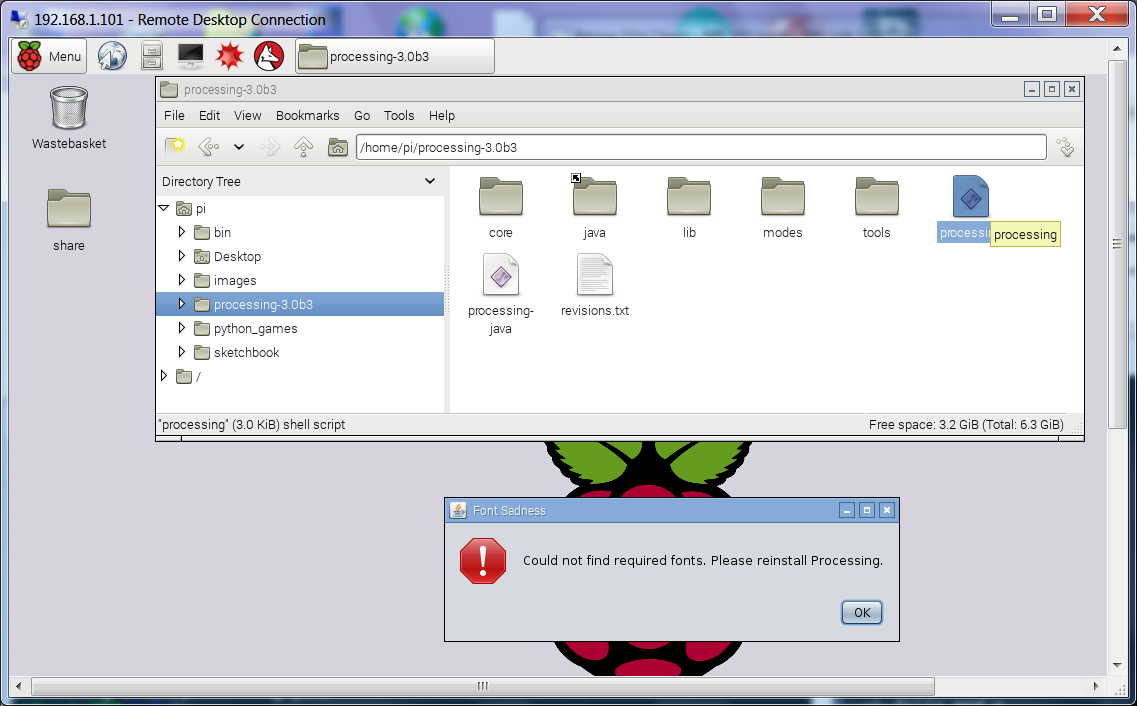
i try some tricks to copy fonts from the original /java/lib.. but not lucky.
try back to java 7
sudo apt-get install oracle-java7-jdk
sudo update-alternatives --config java jdk 7=1
sudo ln -s /usr/lib/jvm/jdk-7-oracle-armhf ~/processing-3.0b3/java
same error
just a bad day? well i think that was just a BAD TIP
@ait, @xranby, you post your half knowledge into a beginner question, from someone who
even admits that he not know about directories...
but i give you the chance: show us how to do!
try processing 3 again 3 years later here