
ARDUINO uPCS
65 ARDUINO uPCS
i think here is a good status for a beta release V2.02:
UPDATE: now see here
again i did that from putty and got a 100% cpu load ( i see in VNC )
but after putty sudo reboot all ok
and the operation looks different from the win 7 PC, some default character size is different and changes the text and dynamics layout, and the faceplate background color also different. But pls find that now the alarming visualization in main process graphic and faceplate works.
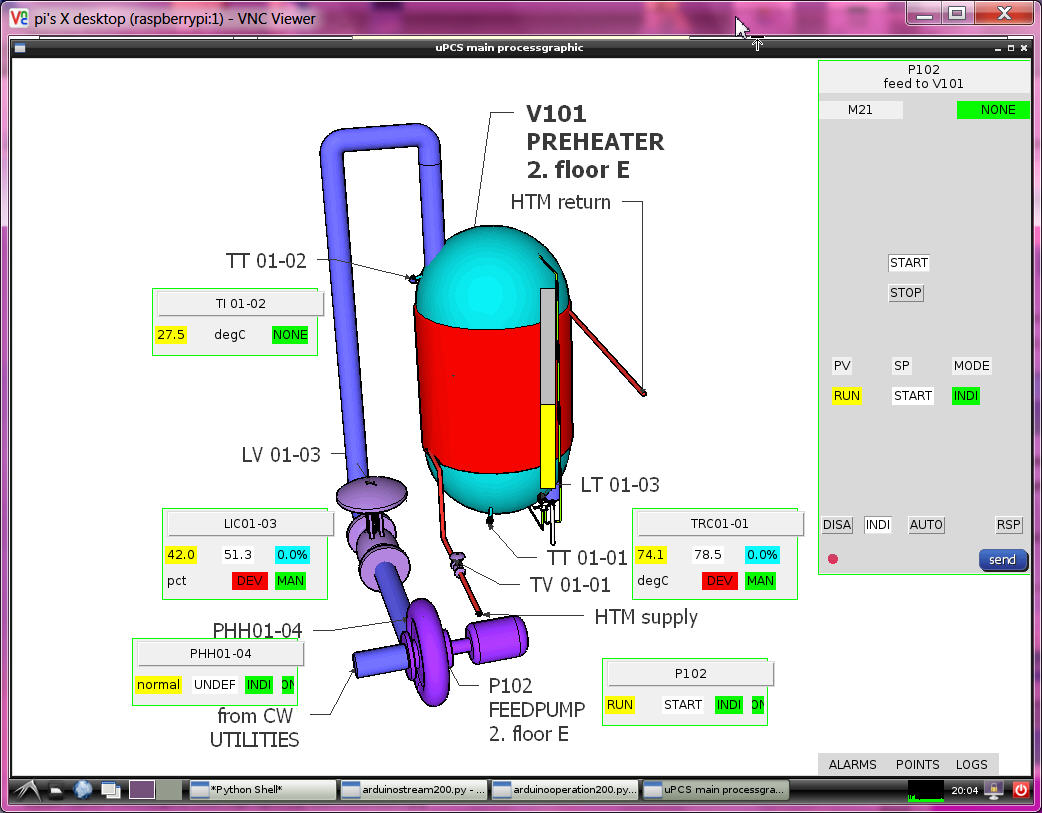
means this was also for me the first test of the (big) uPCS on RPI, all coding i did on PC this time.
if the old version python service with UNO is installed, that service must be removed first
sudo update-rc.d -f arduinostream remove
you can not start 2 services on the same arduino USB link.
now a /power up / boot test i see again in ramdisk only the pointdb.csv, so need more start testing
of DUE on RPI, but service running, pointdb.csv means menu "P" to arduino and arduino send pointlist and
log to file ok. but no fromarduino.csv file ? very strange? a start from IDLE and all ok ? even more strange ?
at service restart all works but there is a OS message about program names should not be longer as 15 char??
so change 200 > 2 in all names.
now i think i need better glasses. i was looking in the pointdb file for the last line is 9 ok, but the line 0 is missing,
so it did not find 10 lines, only 9 and it got stuck in that loop.
there must be a serial problem about the first line after send "P" it not see line "DOC,0....." but only at boot/powerup even with a 2 sec delay to wait for DUE. ( delay in DUE to answer on "P" also no use , still loose first line )
ok, was a program error / tab indentation inside the "def get_pointdb()", this can happen with source transfer PC to RPI?